
Touchbud Stream Player
1.3.0 · Windows · Android
Your playlist. Played properly.
- No adverts, no accounts, no subscription
- No usage tracking, no content from us
- Fast, plain, in 40 languages
Free for everyone – made with care, from freely available building blocks.
A player for the IPTV playlist you already have: an Xtream Codes account or a plain M3U link. One programme, two builds – for Windows, and for Android phones, tablets and TV boxes.
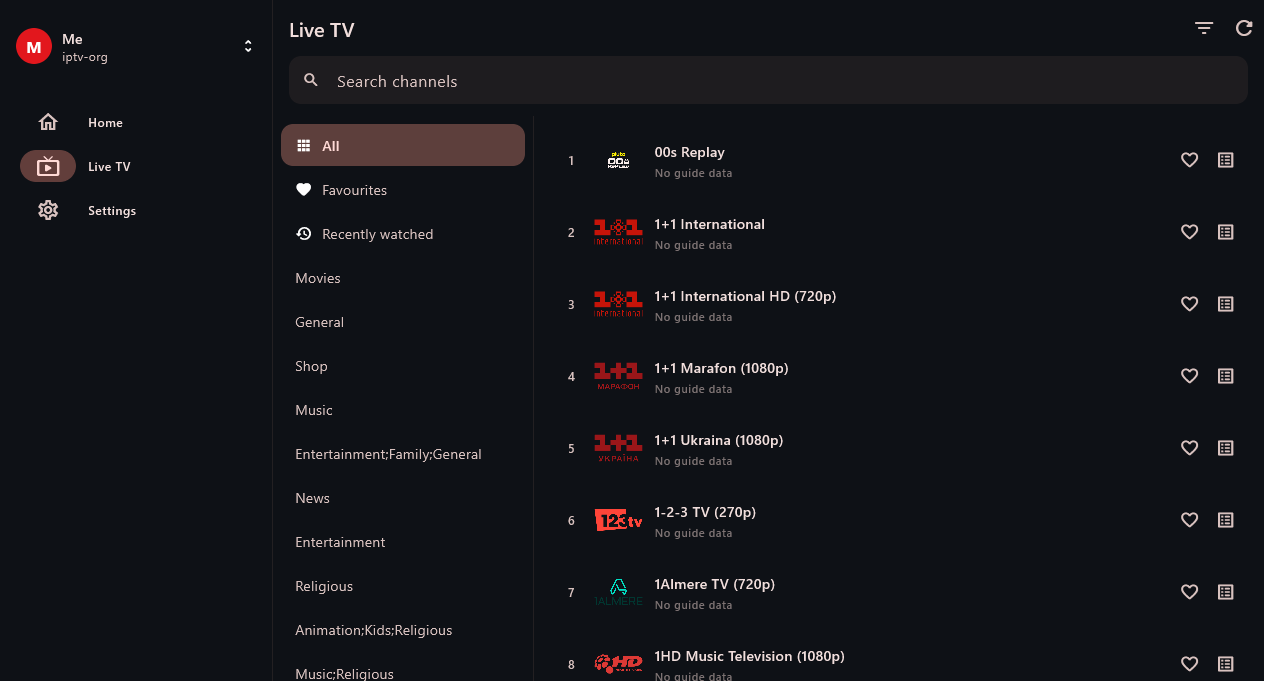
The channel list on Windows: groups, logos, channel numbers, favourites, and a search that covers the whole list.
What it is – and what it is not
It supplies no channels, films or series. You point it at your own playlist and it plays that. Every screenshot on this page comes from the free, public iptv-org list, which needs no account at all.
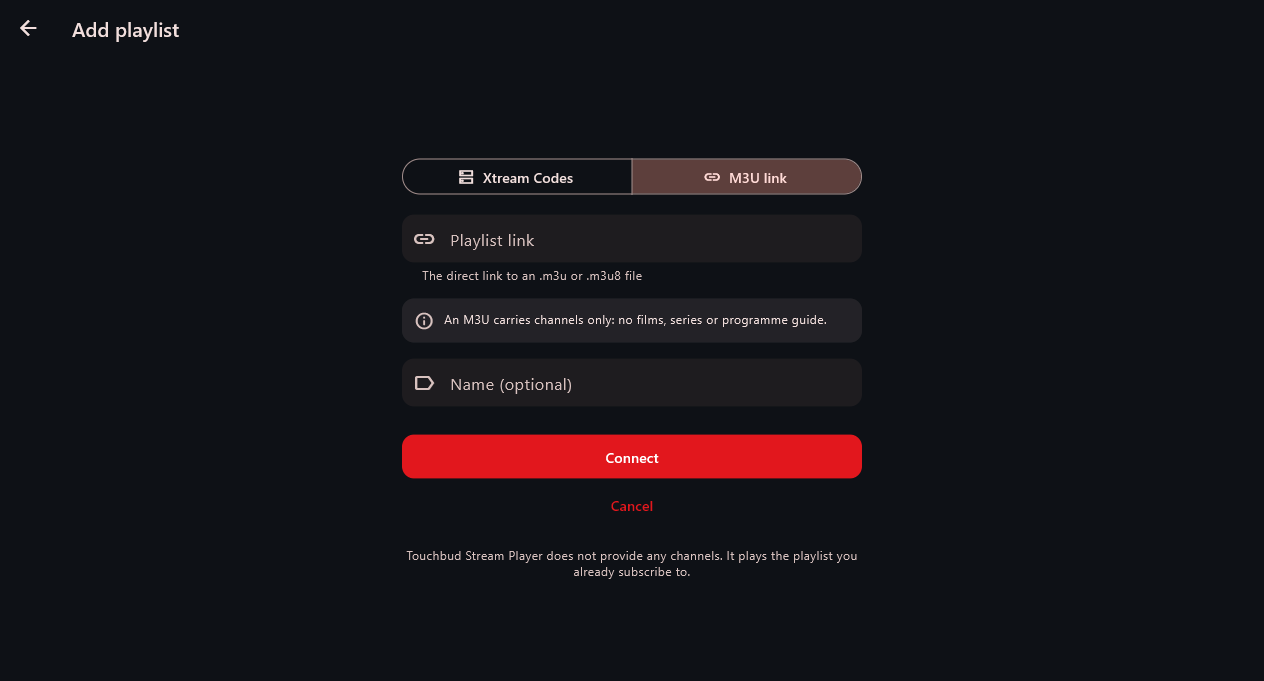
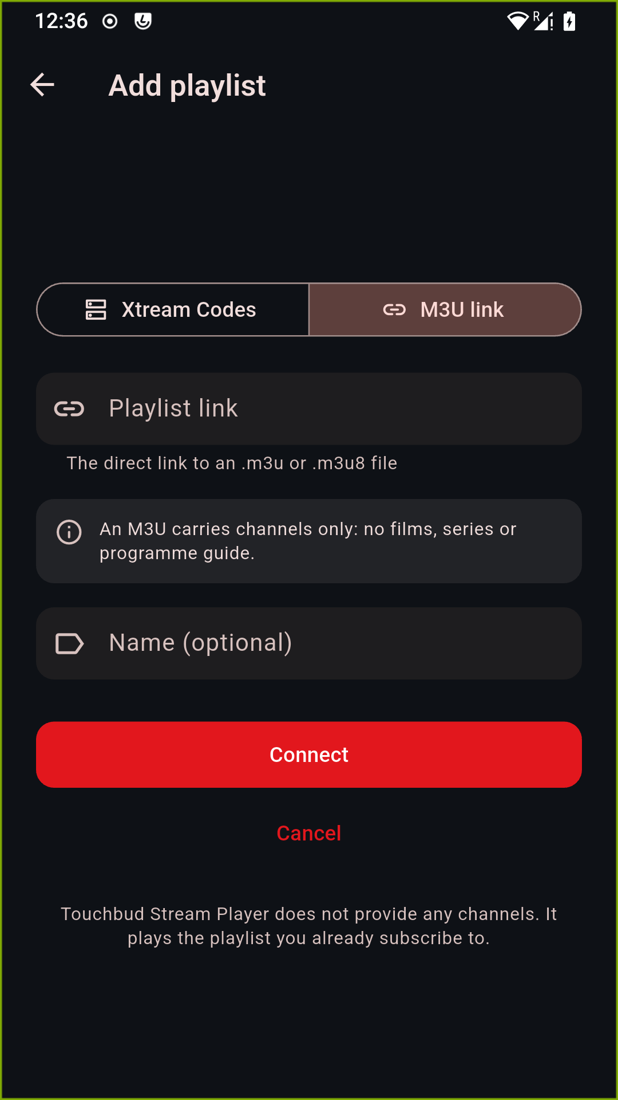
Xtream Codes is what most providers hand out: a server address, a username and a password. Behind it sit live TV, a films library, series with seasons, a programme guide and, on some channels, an archive you can rewind into. An M3U link is a flat list of channels – no account, no films, no guide.
The app does not pretend these are the same: connect an M3U and the Films and Series sections are not empty tabs, they are not there.
What you do with it
Live TV
Channels, groups, favourites
The groups the playlist defines, logos, channel numbers, and a search that covers the whole list rather than the group you happen to be in.
- On a provider that sends one, each row shows what is on now
- Channels the provider has not mapped to the guide are never asked about – that is what keeps the list quick
- Favourites and recently watched, kept per person
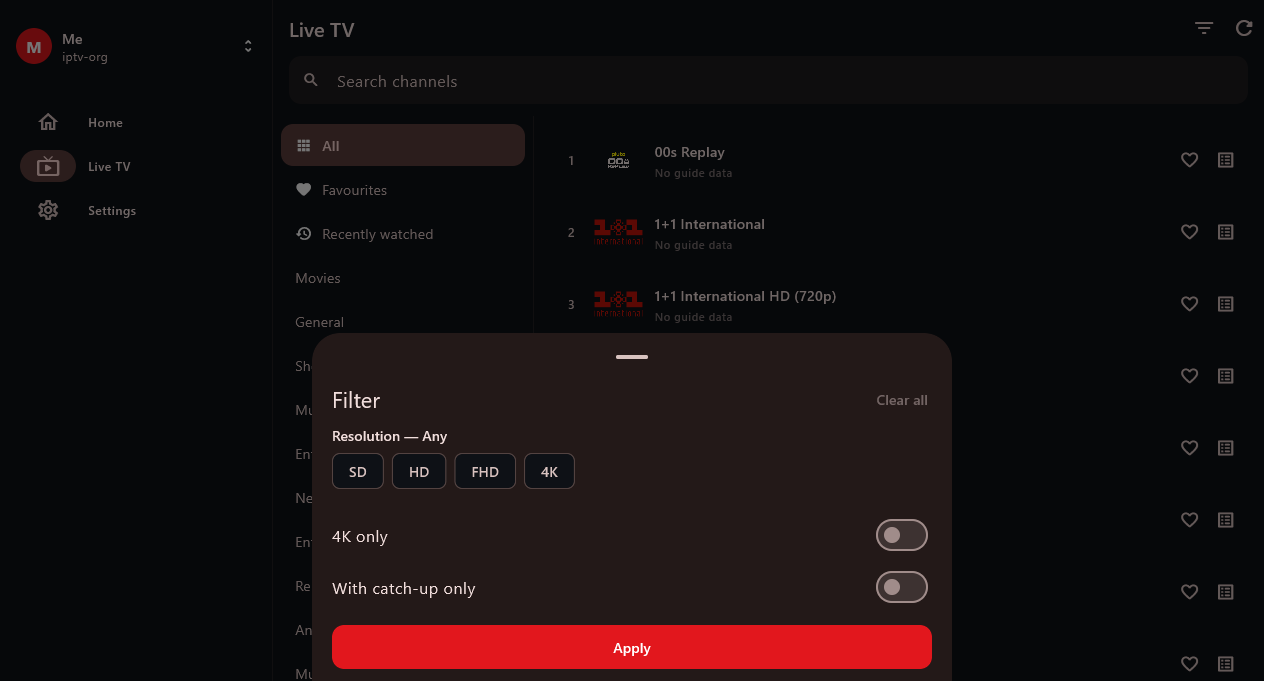
Filtering
Filter by what the data can answer
On a provider's catalogue that means language, rating, year and 4K. On a public list it means resolution – such a list is full of 240p and 270p feeds sitting next to HD, and says so in the channel name.
- A channel that advertises no resolution is kept – unstated is not the same as bad
- The button carries a count, so a filter left on from last time looks like a filter rather than an empty catalogue

The player
Built on libmpv, not on the browser
The same engine mpv uses. It plays what a desktop player plays, rather than what a browser will accept.
- Audio and subtitle track selection, preferred language applied before the stream opens
- Aspect ratio, zoom to crop black bars, playback speed
- Channel zapping without leaving the player, resume per person
- Live diagnostics: resolution, codec, decoder, frame rate, dropped frames
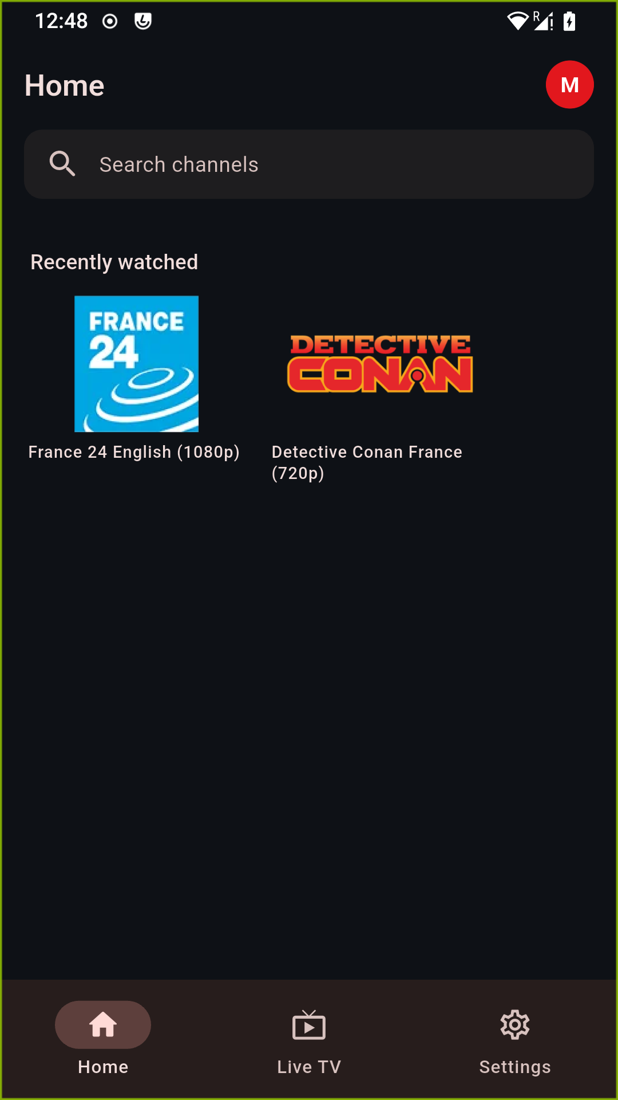
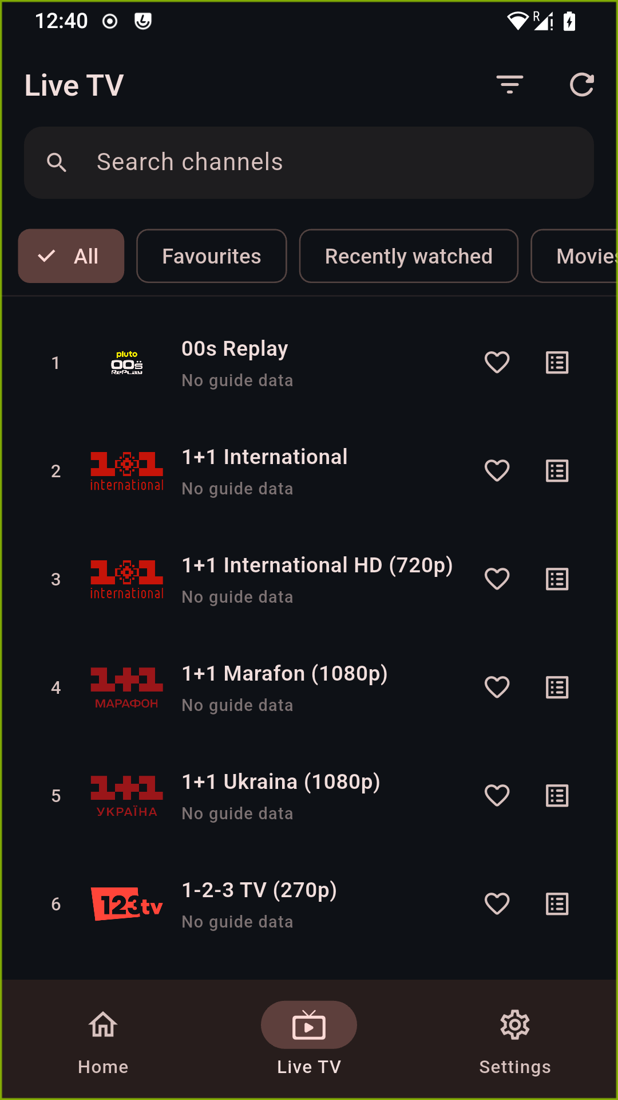
On the phone
The same app, shaped for one hand
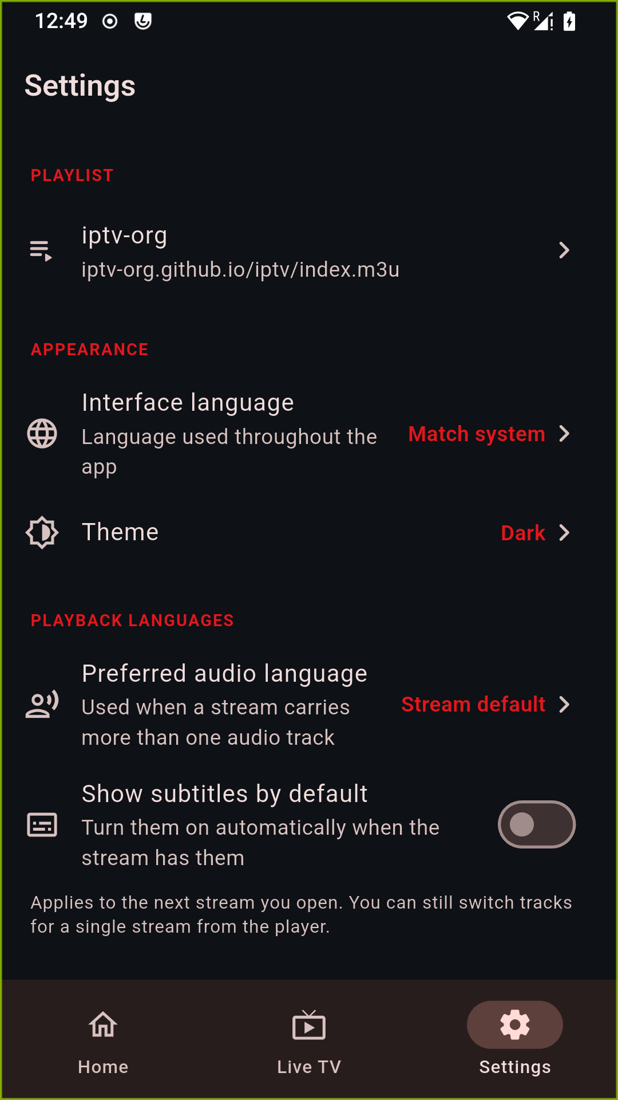
Phone, tablet and TV box share one codebase but not one layout: a bar along the bottom instead of a side rail, immersive landscape, controls within reach of a thumb.
- A home screen drawn from local snapshots, so it renders before the catalogue has loaded
- One search field across channels, films and series
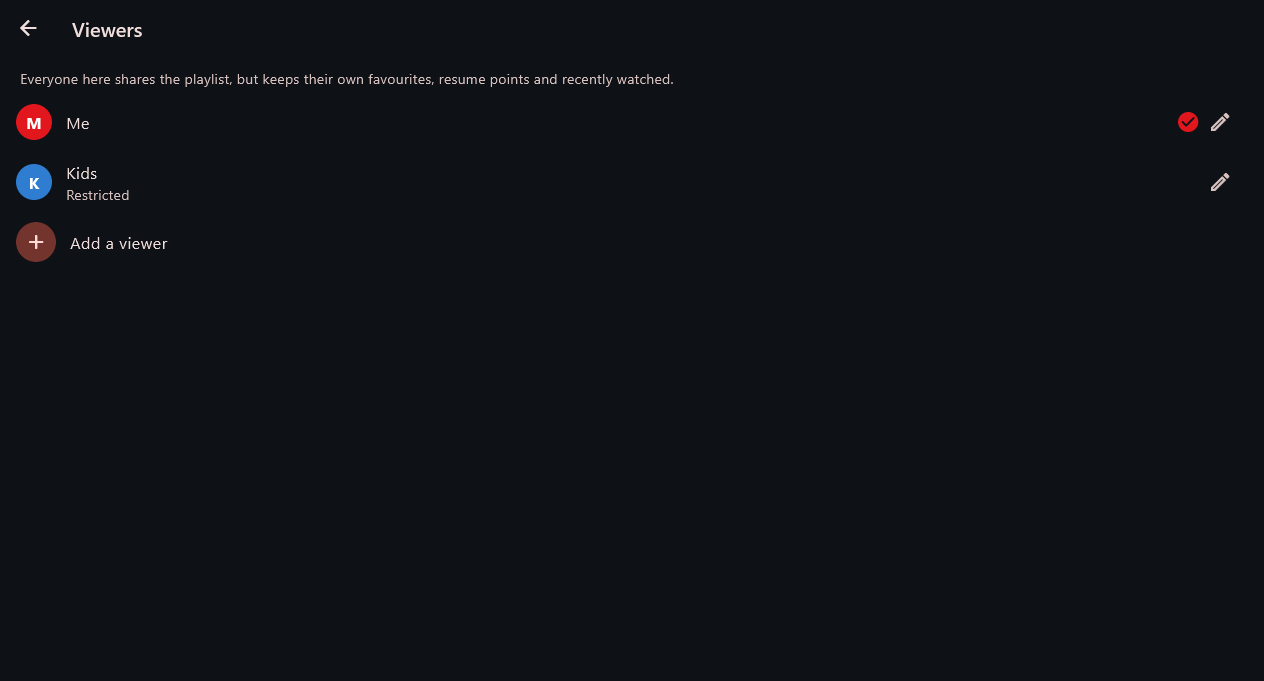
Several people
One subscription, separate histories
A household shares one subscription but not one taste. Each viewer keeps their own favourites, resume points and recently-watched; the playlist and its cache are shared.
- Switching is one tap from the sidebar
- A viewer marked restricted never sees locked categories – not even with the PIN
Why this player
Very large catalogues too
Catalogues with tens of thousands of channels, films and series stay responsive – on a computer and on a phone alike. Listings load in the background, and the home screen is there before the catalogue has finished.
libmpv rather than browser playback
The same engine as mpv. If the device cannot hardware-decode a stream, the app says so plainly and offers the same channel at a lower resolution, instead of leaving you with stuttering video and no explanation.
Parental controls that actually hide
A PIN locks whichever categories you choose. A locked category disappears from the category list, from “All” and from search results – not just from the tile that opens it.
40 languages
From Arabic to Ukrainian. Arabic lays the whole interface out right to left. The picker appears on the very first screen, because someone who cannot read the interface cannot go looking for the setting that changes it.
Several viewers
Separate favourites, resume points and histories over a shared playlist. Restricted profiles for children.
Free, with nothing asked in return
No account, no subscription, no adverts, no analytics. Built entirely from freely available components.
New in 1.3.0
Five things this release is about:
An easy interface
One screen, large tiles, nothing else. Not the normal interface with bigger text, but without sections, categories, filters or guide rows. It is driven by favourites: whoever sets the device up stars the handful of channels that matter, once — and from then on that is the whole screen. The way back is a quiet settings button in the corner, behind the parental PIN if one is set. Settings → Easy interface.
Start with the device
For a box behind a television, where nobody wants to hunt for an icon after a power cut. Off unless asked for, on both Windows and Android, and just as easily turned off again — on Android nothing is registered with the system until the switch is turned on.
A programme guide for M3U playlists
An M3U carries no programme information itself, but most playlists point at a separate guide file, and the app now reads it. So a free playlist can show what is on now and what is next. The honest caveat: this depends on the playlist. One that names no guide shows “No guide data” rather than inventing anything.
Playback on a bad connection
The Slow connection profile collects ten seconds before it starts, reads half a minute ahead and picks the lightest version of a stream. It starts more slowly and the picture is softer — that is the trade, and the app says so where you choose it. The seek bar now also shows what is downloaded: you can move around inside it, even on a live channel, without the picture stopping.
Credentials in the system’s secure storage
Playlist usernames and passwords now go to the platform’s secure store — the Android KeyStore, or DPAPI on Windows — rather than a file. Existing installations move across by themselves the first time the app starts. Nothing to re-enter.
Download
Version 1.3.0. Both builds come from the same source revision.
Windows
A folder to unpack – run stream_player.exe. No installer, no registry entries, nothing left behind if you delete the folder.
Android
A single APK covering every architecture: phones, tablets and Android TV boxes. Android will ask whether to allow installation from this source – that is normal for apps outside the Play Store.
What comes next
Version 1.3.0 is complete and usable. Work continues on:
Recording
Live programmes and films to disk, on a schedule.
Remote control and TV boxes
D-pad navigation, launcher banner and immersive full screen are built – the polish on real TV boxes follows.
Plainly, at the end
It supplies no content. It plays the playlist you configure, and nothing else. You are responsible for the legality of your playlist.
Free, and built from free components. Only freely usable components were used; their licences ship with the application.
A question, a bug, or a wish?
Write to us – feedback from real use is what makes the programme better.
A question, a bug, or a wish?
This site is protected by reCAPTCHA. The Google Privacy Policy and Terms of Service apply.